Are you overwhelmed by a digital mess of files, notes, and ideas scattered across your computer? Tired of cloud apps that lock you in, track your data, or fail you the moment your internet drops?
You create documents in Word, save research as PDFs, and jot down ideas in text files. But how do you connect them? How do you find that one crucial piece of information you saved six months ago?
It’s time for a different approach.
Introducing Bloco: The Smart Notebook for Your Local Files.
Bloco is a lightweight, lightning-fast, and 100% offline application that works with your existing files, right on your computer. It’s not another bloated cloud service. It’s an intelligent layer for your file system, designed to turn your scattered notes into a coherent forest of knowledge.
With Bloco, you finally own your data and control your workflow.
Bloco’s philosophy: A Tool, Not a Trap
Bloco is built on a simple, user-first philosophy. We believe a note-taking app shouldn’t be a document builder. You should create documents in the right tool; Bloco will ingest the .docx or .pdf, extract what matters, and place it within your local data.
Our key principles are your benefits:
- Keep it Simple: No complex settings, no mandatory tutorials. Just a clean, intuitive tree structure that visualizes your local directories.
- Respect Your Organization: Bloco integrates with your existing file organization. It doesn’t force you to move or import your life’s work into a proprietary database.
- Own Your Data: Bloco operates entirely offline. It only stores essential metadata in a simple cache. Your files stay on your machine, under your control.
- Be Reliable: No internet? No problem. All core features are available without a connection.
- Stay Portable: Moving to a new computer? Just copy the folder. Bloco is designed to be as portable as a notebook.
The Complete Feature Set for a Smarter Workflow
Bloco is packed with powerful, focused features designed to help you find and connect your ideas.
🌲 Visualize Your Knowledge
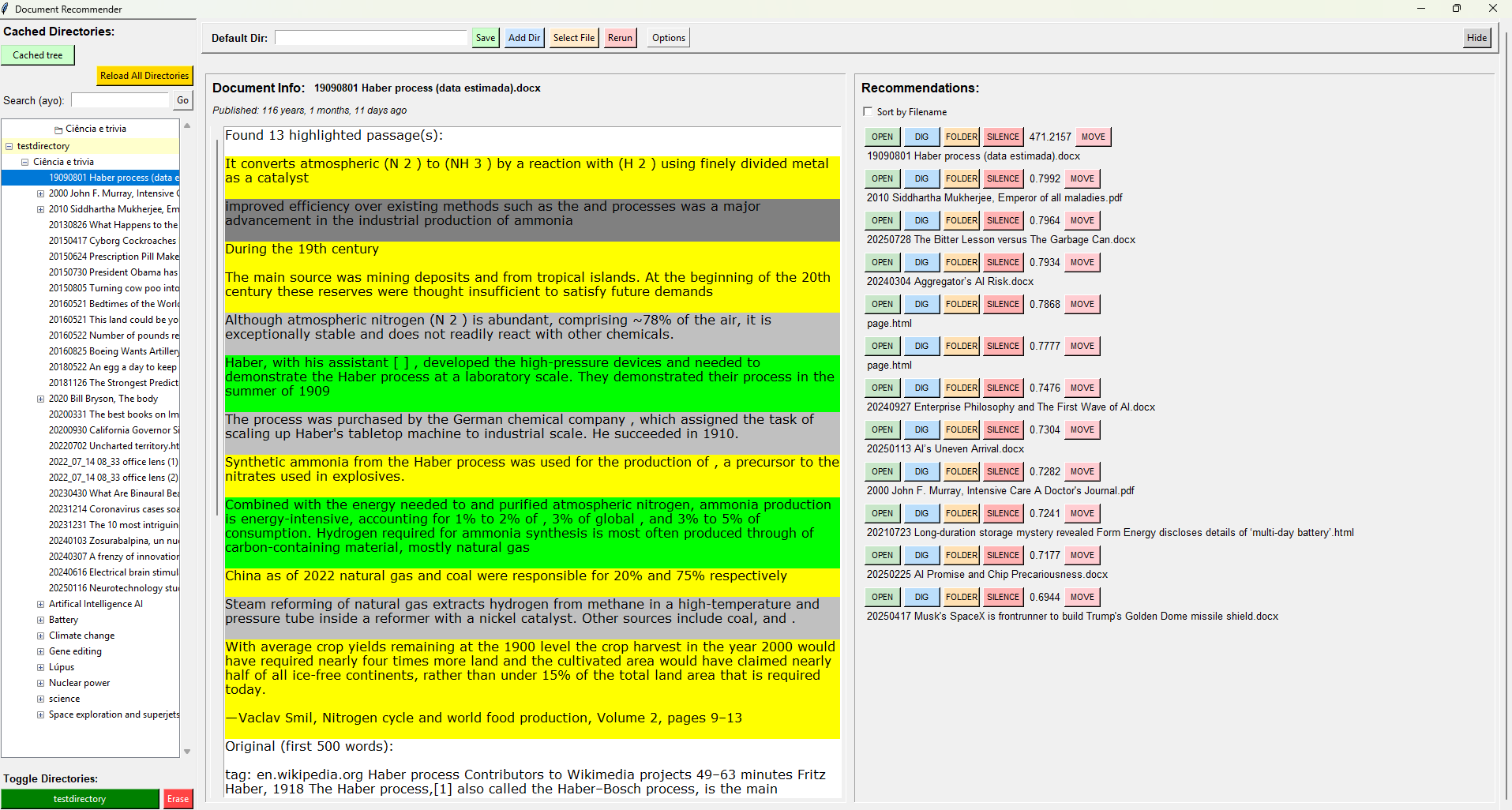
Instantly see your local directories loaded and visualized through a clean, simple tree.
🚀 Find Anything, Instantly
Use the powerful search for a single word or an exact “multiple word expression” across your entire library.
🧠 Discover Hidden Connections
This is the magic. Bloco uses co-sine similarity to find conceptually similar files. With one click, Bloco can show you every other document, note, or article that shares its core ideas.
💡 See What Matters at a Glance
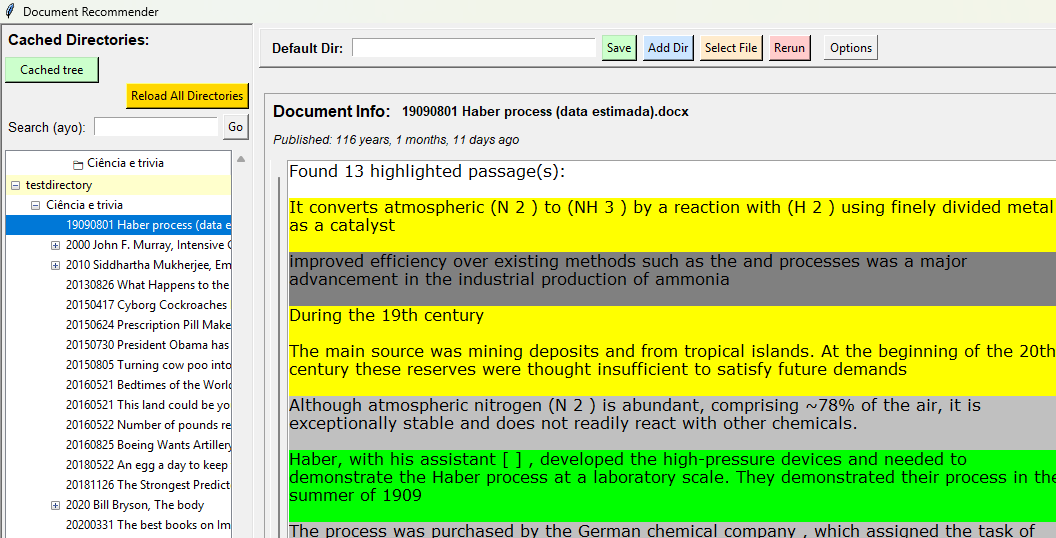
Bloco automatically finds and displays the highlighted quotes from your documents, followed by the first 500 words, letting you skim for relevance without ever opening a file.
⏰ Travel Through Your Timeline
Instantly “zoom” into any file’s place in the chronological order of all your loaded directories. Understand the context of your notes and see how your ideas have evolved.
🔖 Save for Later
Easily save specific files for future easy access, creating a shortlist of your most important documents.
📁 Broad Document Support
Bloco seamlessly ingests the file types you already use: .docx, .pdf, .html, and .txt.
Bloco in Action: Your Workflow, Evolved
See just how simple it is to get started:
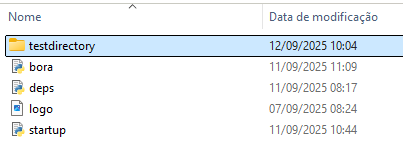
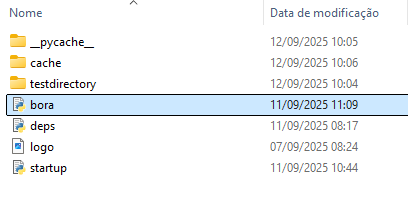
- Run the App: Start Bloco by running
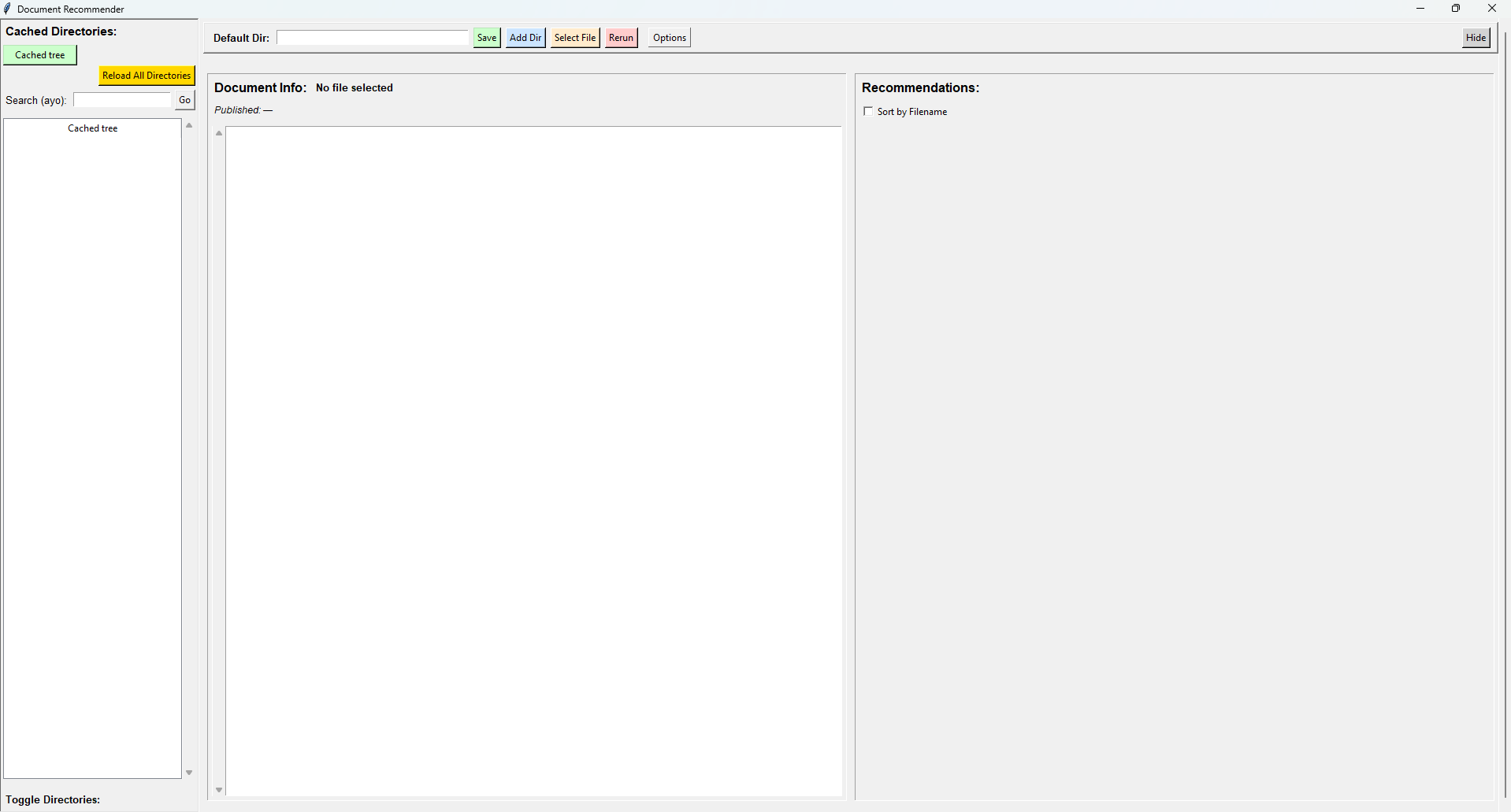
bora.pyfrom its folder. - Add Your Directory: You’re greeted with a clean, empty Bloco. Simply add your first note directory.
- Instant Indexing: Bloco instantly and securely indexes your files, adding them to your local cache. Your original files are never moved or altered.
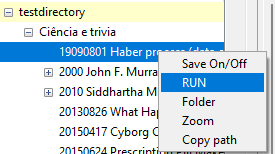
- Explore & Connect: Click any file to see its key highlights and a preview. Right-click or use the tree to “Run” and find similar files.
- Sort Your Way: Recommended files are sorted by their similarity score by default, but you can also sort by filename—a perfect proxy for the date.
Installation
Tips & Best Practices
- Unlock the Timeline: To get the most out of the chronological feature, name your files with the date first. Bloco uses the start of the filename to retrieve the date (e.g.,
20250911 – Meeting with Alice.docx).
Frequently Asked Questions (FAQ)
Q: Where are my notes stored?
A: Your original notes stay right where they are! Bloco stores a lightweight cache in the same location from which you run the code. You are always in control.
Q: Can I move notebooks between computers?
A: Yes, effortlessly. Just copy the folder in which the code runs, and open it somewhere else. Your entire knowledge base, cache and all, moves with you.
Q: Does Bloco work offline?
A: Yes. 100%. All core features are built to work entirely offline, giving you access to your knowledge base anywhere, anytime.
Q: Which document types are valid?
A: Bloco is designed for the most common document types: .docx, .pdf, .html, and .txt.
Stop Managing Files. Start Using Your Knowledge.
Ditch the data silos and monthly fees. Take control of your digital library and unlock the connections hidden within your own work.